
What to Prepare Before Sending Files to a Print Shop
A business orders event banners for a local trade show, only to realize the graphics look blurry once printed.
Another company submits a brochure design and later notices the phone number is outdated after production has already started.
These situations happen more often than many businesses expect, especially when files are sent to print without proper preparation beforehand.
At Gibson Printing, we regularly help businesses throughout St. Peters and St. Charles County prepare print-ready files for brochures, business cards, signage, promotional products, booklets, and marketing materials. In many cases, small file setup issues can be corrected early before they turn into larger printing problems later.
If you’re getting ready to send artwork to a print shop, here are a few important things worth checking first.
Start With the Highest Quality Files Possible
One of the biggest problems in commercial printing starts with image quality.
Graphics that look perfectly fine on a phone, laptop, or social media page may not print clearly at larger sizes. This becomes especially noticeable with:
- banners
- posters
- signage
- brochures
- trade show displays
We often see businesses upload logos pulled from websites or screenshots taken from social media pages. Unfortunately, those files are usually compressed and don’t contain enough resolution for professional printing.
Whenever possible, use:
- original design files
- vector logos
- high-resolution images
- print-ready PDFs
If an image already looks slightly blurry on-screen, printing usually makes the issue more noticeable.
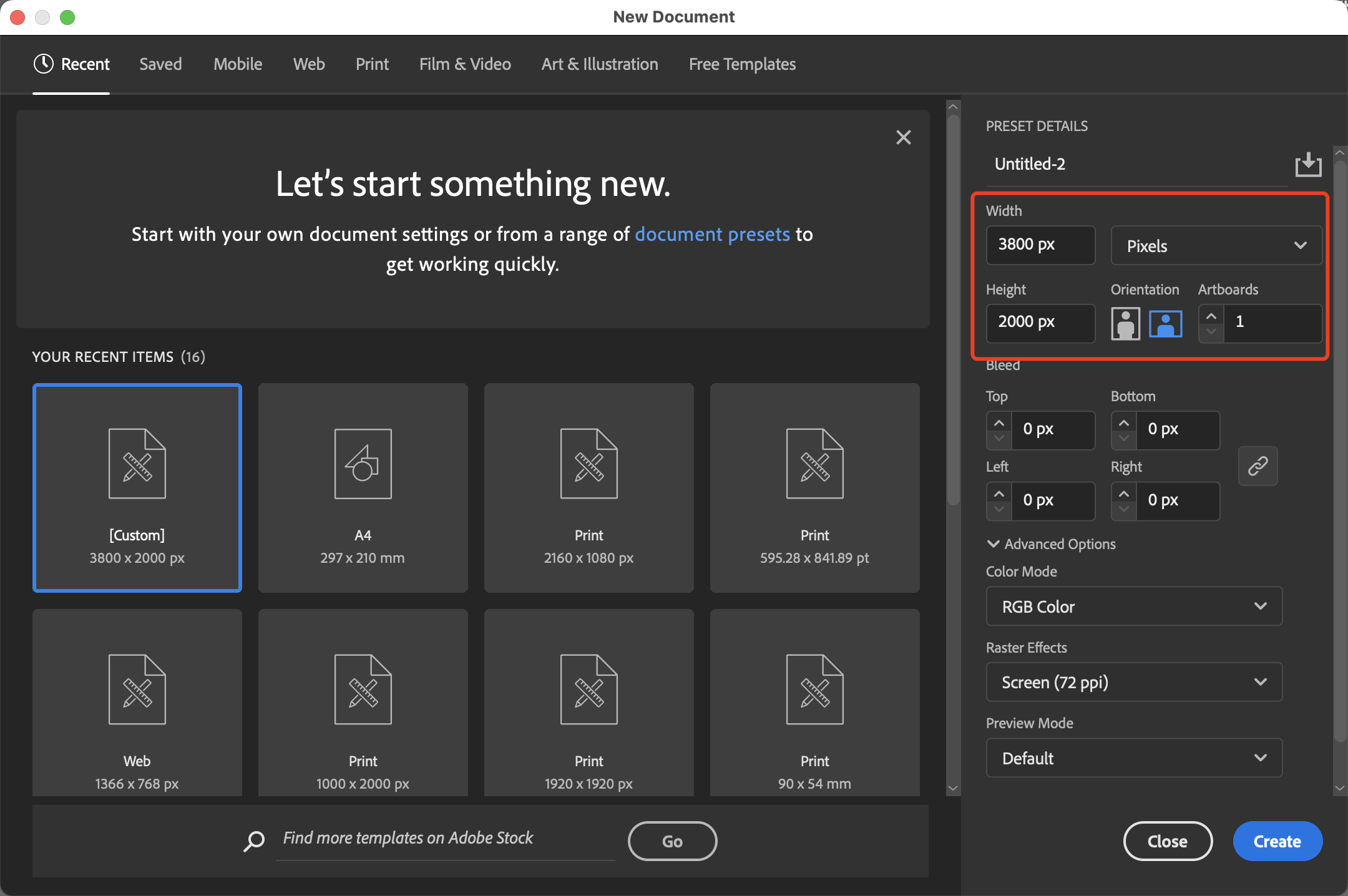
Double-Check Sizes Before Finalizing Artwork
Print dimensions matter more than many people realize.
A design created for email marketing or social media may not automatically fit a printed format correctly. Sometimes text becomes too small, spacing shifts awkwardly, or important details end up too close to trim lines.
Before submitting files, confirm:
- final print size
- orientation
- fold layout if applicable
- viewing distance for signs or banners
For example, a retractable banner used at a community event in St. Peters needs very different sizing considerations than a business card or postcard mailing.
Thinking through how the material will actually be used helps prevent avoidable production issues later.
Quick Checklist Before Uploading Files
Before sending files to a print shop, it helps to review a few basic details carefully:
Make sure you have:
- correct spelling and phone numbers
- updated addresses and website URLs
- high-resolution images
- proper bleed setup
- readable font sizes
- organized file names
- correct quantity information
- final approval from your team
Even small mistakes can become expensive once printing begins, especially for larger orders.
Bleed and Margins Are Easy to Miss
Many businesses aren’t familiar with bleed settings until they run into trimming problems for the first time.
If colors or images extend all the way to the edge of a printed piece, extra space needs to be added beyond the trim area. Otherwise, thin white edges can appear after cutting.
At the same time, important content should stay inside safe margins to avoid being trimmed too closely.
This issue commonly affects:
- flyers
- postcards
- menus
- brochures
- event materials
Online design platforms don’t always explain bleed settings clearly, which is why reviewing files before production can save a lot of frustration later.

Fonts Can Cause Unexpected Problems
Fonts don’t always transfer properly between different computers and design programs.
Sometimes a file opens using substitute fonts without the designer realizing it. That can completely change spacing, alignment, and the overall appearance of a printed piece.
To help avoid font issues:
- save files as PDFs when possible
- embed fonts into exported files
- avoid unsupported decorative fonts
- review proofs carefully before approval
This becomes especially important for branded marketing materials where consistency matters.
One Small Mistake Can Affect an Entire Print Run
We’ve seen situations where businesses printed hundreds of brochures with:
- outdated contact information
- incorrect event dates
- spelling errors
- old logos
- low-contrast text that became difficult to read
Most of these problems are preventable with a slower final review process before files are submitted.
It’s always worth taking a few extra minutes to proofread carefully, especially for:
- trade show materials
- menus
- promotional flyers
- signage
- direct mail pieces
A second set of eyes can also help catch details that are easy to overlook after staring at the same design for hours.
Paper Stock and Finishing Options Matter Too
Preparing files isn’t only about the artwork itself.
Businesses should also think about:
- paper thickness
- gloss or matte finish
- folding options
- durability
- mailing requirements
- indoor vs outdoor use
For example, a postcard promotion may need heavier stock for mailing durability, while a presentation booklet might benefit from a cleaner matte finish for readability.
These details can significantly affect how the finished product feels and performs once printed.
Ask Questions Before Production Starts
Many businesses assume they need to figure everything out themselves before contacting a printer.
In reality, asking questions early often prevents larger problems later.
At Gibson Printing, we regularly help businesses throughout the area review files, answer setup questions, and prepare projects properly before production begins. Sometimes a quick conversation can prevent delays, reprints, or unnecessary costs.
Printing tends to go much smoother when expectations, materials, timelines, and file requirements are discussed upfront.
Frequently Asked Questions
Good Preparation Leads to Better Printing Results
Professional printing starts long before ink reaches paper.
Carefully prepared files help reduce delays, improve print quality, and prevent many of the common issues businesses encounter during production.
At Gibson Printing, we’re proud to help businesses throughout St. Peters and the surrounding area with:
- Professional printing
- Graphic design
- Book production
- Promotional products
backed by decades of experience.
If you’re preparing files for an upcoming project and want a local team to review everything before production begins, we’re always happy to help.
